


So you’ve created a listing and have received some quotes but you’re finding the process of choosing a transport provider a bit daunting? Here at Truckit.net, we understand that making decisions, especially important ones, isn't always easy. So we’ve created the following guide to help you choose the provider that is right for you.
Step 1: Open your listing
The very first step to choosing a provider is to log onto your account here, go to ‘My Listings’ and click on the active listing you are wanting to view. Scroll down to where the quotes are displayed and you are ready to head onto the next step.
Step 2: View the provider's profiles
Viewing profiles can be done in two ways, first by hovering over the provider’s name to display a snapshot of their profile or by clicking on their name to show the profile in full. The important information to take note of in a provider's profile is the positive feedback, completion, and cancellation rates. You can also read the reviews from their previous customers as well as their about us to learn a bit more about the company and how they operate.
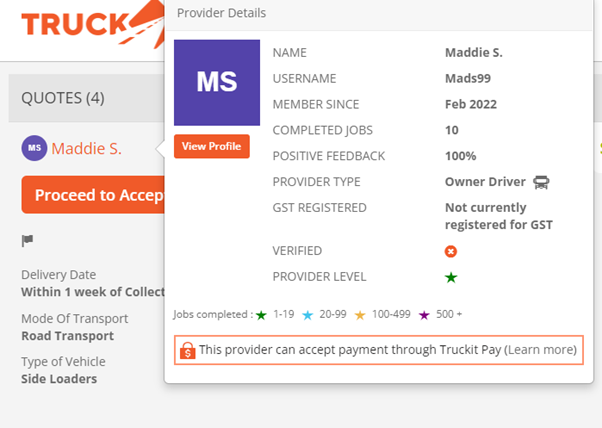
Step 3: Read the Quote Specific Terms
This step is critical to ensuring the quote and by extension, the provider is right for you as this section is where providers display their terms and conditions. Policies such as cancellation, demurrage, and futile fees will be displayed here as well as whether the quote includes insurance. It is also important to read this as limits surrounding the weight and dimensions of the item will also be specified as some of our providers have instant quotes and as such will not be reading the listing before quoting. It is therefore your responsibility to ensure that the quote matches the specifications of the item/vehicle that you are freighting. If you are looking for interstate car transport this section will also address whether the provider allows goods (personal belongings) to travel in the car.
Step 4: Message the provider
At this point, if you still have questions about the provider's service, would like clarification on insurance, or even are just a bit hesitant and would like to talk to someone you can message the provider directly. This messaging service is available underneath each individual quote, however, messages can also be displayed at the bottom of the page. Messaging the provider will help you build a rapport and is often where you decide if they are the right fit for you. It is important to remember that many providers are available during work hours only and some are owner-drivers so they may be on the road, out of service, or sleeping so please allow up to 24 hours for a response. Due to the public nature of the messaging service, to protect the safety and privacy of all users we do ask you to please ensure you do not communicate personal or business contact details, full addresses and any other identifying information to the providers, as per Truckit.net rules and regulations.
Step 5 - Repeat steps 2 - 4
Replicate this process with any other providers that quote on your listing and then compare & choose the provider that either offers the best price, service, or communication.
Step 6 - Accept or Invite
Now that you have a better idea of who your providers are you can decide whose quote you would like to accept. To do this click on the orange “Proceed to Accept’ button underneath the quote and follow the prompts to book your job. After a booking is confirmed you will receive the provider's contact details and you can then talk to them directly. If none of the providers who have quoted fit the criteria you are looking for you can invite more to quote on your job. When you click on the ‘Invite providers’ button located at the top right-hand side of the page, it will bring up a catalogue of providers who have been matched to the job. You can then view these providers' profiles as well before inviting them to the listing.
We hope this comprehensive guide has helped make committing to a transport provider a bit easier. If you require further assistance please do not hesitate to give us a call at 1300 859 850 or send us an email at support@truckit.net.

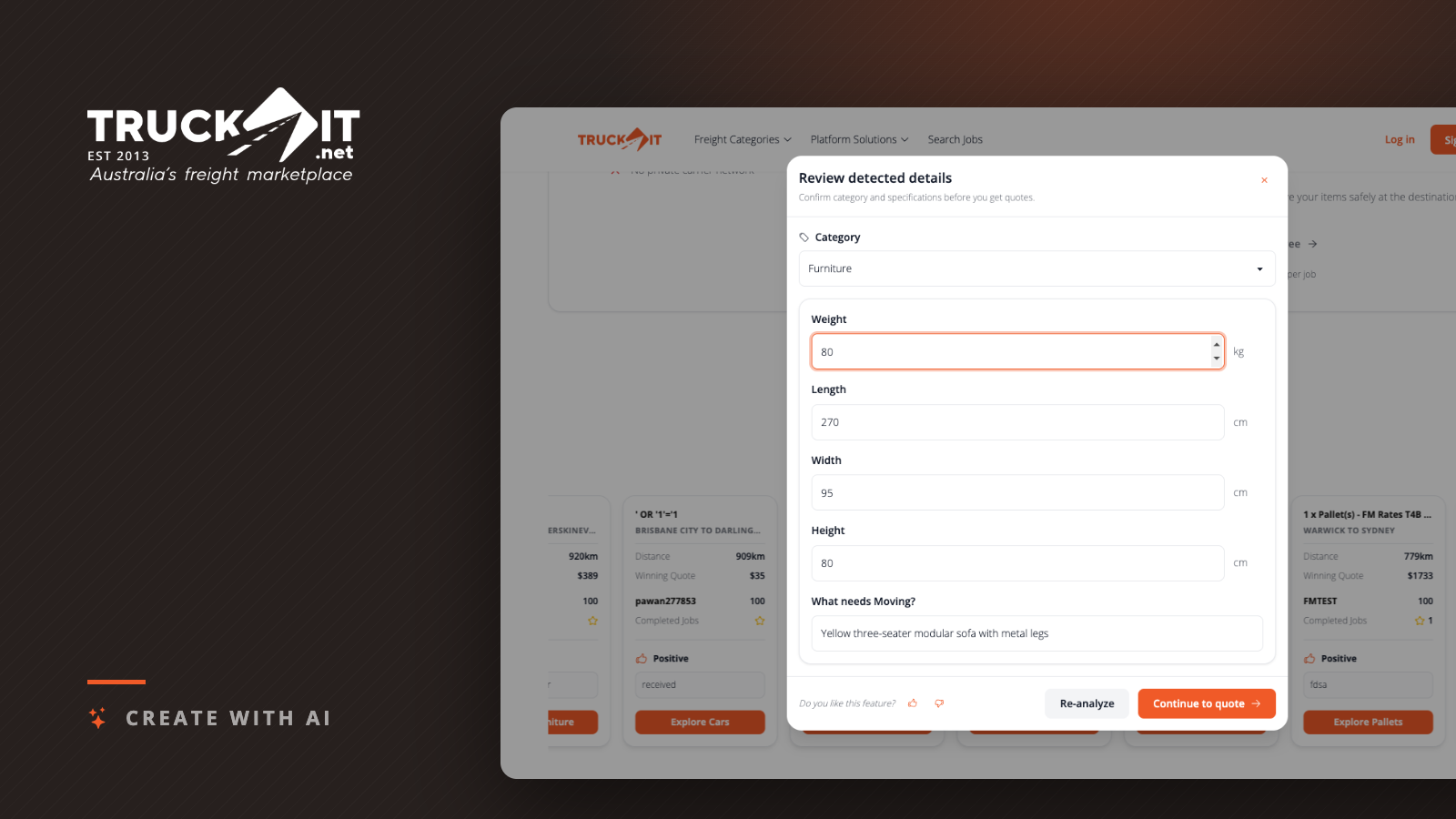
News · Product Update Your freight quote now starts with a photo Create with AI is live on Truckit. Photograph what you are moving and the listing fills itself in. TK Truckit Australia's freight marketplace 14th of September 2026 · 5 min read Take a photo of the thing you need moved. That is now enough to start a freight quote. Create with AI is live on Truckit. Upload a picture of your couch, your dresser or your pallet of stock, and Truckit reads the image, works out which freight category it belongs in, and estimates the weight and dimensions. […]

News · Managed Services Freight is the friction your business doesn’t need. Here’s how managed services remove it. Why more Australian businesses are handing their freight to a managed service, and what they get back. KD Kieran Dawkins Head of Managed Services · Truckit.net 18 July 2026 · 5 min read While most businesses can understand a freight rate card, a lot aren’t quite aware of the true freight costs to their business. Everything from the time it takes to procure and manage carriers, to increasing capacity at short notice, through to chasing ETAs, reconciling invoices, misaligned payment terms and […]

We’ve been busy building behind the scenes, and a wave of new features have just rolled out. Most of it points the same way: putting AI to work on the parts of freight that used to eat your time. Searching for jobs, writing your profile, matching the right provider to the right load. Here is what is live now, and what we are working on next. You can now find freight jobs just by asking Type "find container jobs within 100km of Maryborough" into the Search Jobs page, and Truckit knows exactly what you mean. No filters to set, no […]
